










Features
- Create a profile for each family member you would like to manage. Assign devices to the profile to set access controls and time limits for them.
- Set daily limits on how long your kids spend online and prevent them from accessing the internet on their devices for a long time to build a healthy network habit.
- Suspend family members’ internet connections to take a break from the virtual world to enjoy some family time.
- Intuitively view the working status of your Halo network and see what is connected. Prioritize or block devices as needed.
- The MERCUSYS app proactively sends out an alert to inform you when an unfamiliar device is connected. Tap to block the device if it is a security risk.
- Provides a separate network for guests to ensure your security and privacy.
Technical specifications
| Network Type | Support 4G/3G network FDD-LTE: B1/B3/B5/B7/B8/B20/B28(2100/1800/850/2600/900/800/700 MHz) TDD-LTE: B38/B40 (2600/2300 ΜHz) HSPA+/UMTS: B1/B5/B8 (2100/850/900 ΜHz) |
|---|---|
| Wireless Standards | IEEE 802.11ax/b/g/n 2.4 GHz |
| Frequency | 2.4 GHz |
| Reception Sensitivity | 11b 11Mbps: -87.5dBm 11g 54Mbps: -74dBm 11n HT20 MCS7: -71dBm 11n HT40 MCS7: -69dBm |
| Transmission Power | <20dBm |
| Wireless Security | Support WPA-PSK/WPA2-PSK,Wireless MAC Filtering, Enable/Disable SSID Broadcast |
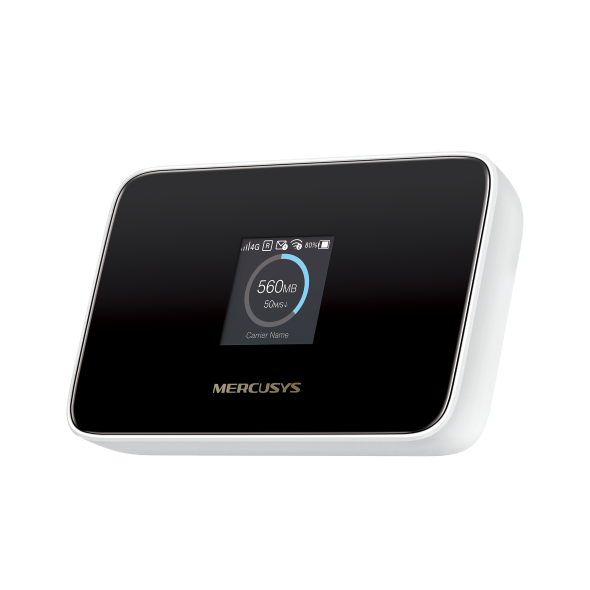
| Dimensions | 111.1 × 71.6 × 24.2 mm (4.37 × 2.82 × 0.95 in) |
| Interfaces | 1 USB-C port for power supply 1 Nano SIM card slot |
| Button | Power Button, Reset Button, Menu Button |
| External Power Supply | 5V/1A |
| Antenna Type | Internal Antennas |
| Data Rates | 4G LTE Speed: DL: 150 Mbps, UL: 50 Mbps WiFi Speed: 287 Mbps on 2.4 GHz |
| Screen Display | 1.44 inch TFT |
| DHCP | Server, Client, DHCP Client List |
| Network Services Enabled by Default | Web Server Manage and configure device through web • Port: 80/443 Protocol: HTTP/HTTPS DHCP/DHCPv6 IP address assignment • Port: 67/547 Protocol: UDP DNS DNS • Port: 53 Protocol: UDP Dropbear Manage and configure device through app • Port: 20001 Protocol: SSH App management Manage and configure device through app • Port: 20002 Protocol: TMP |
| Package Contents | Mobile Wi-Fi MT115 USB-C Cable Quick Installation Guide |
| Environment | Operating Temperature: 0°C~35°C (32°F ~95°F) Storage Temperature: -10°C~40°C (14°F ~104°F) Operating Humidity: 0%~75% non-condensing Storage Humidity: 0%~65% non-condensing |
| System Requirements | Windows 11/10/8/7, Mac OS, Android, iOS, Windows Phone |
Need help choosing a product?
Contact ADT for availability, compatibility and advice for your project.